Best UPS Battery Backup for Home: Protect Your Electronics and Ensure Continuous Power During Outages
Introduction – Why UPS Matters for Home Users
Power outages in North America are no longer occasional inconveniences. From extreme weather events to aging grid infrastructure, households can experience interruptions that disrupt work-from-home setups, spoil food, or affect essential medical devices.
For families, having a reliable home UPS (Uninterruptible Power Supply) system is critical. A UPS ensures that your electronics stay powered during outages, protecting your data, devices, and overall household functionality. Choosing the right UPS helps maintain safety, continuity, and efficiency in your home.
Understanding Home UPS Systems
A UPS provides instant backup power to connected devices when the main electricity supply fails. Unlike large home battery storage systems that can power an entire house, UPS systems focus on protecting critical electronics like computers, routers, smart home devices, and AV equipment.
Types of Home UPS
- Offline / Standby UPS
- Activates only during a power failure
- Affordable option for short-term backup
- Line-Interactive UPS
- Provides voltage regulation and surge protection
- Ideal for areas with frequent voltage fluctuations
- Online Double-Conversion UPS
- Offers the highest power quality with zero transfer time
- Recommended for sensitive electronics and high-end home offices
Output Waveform
- Modified Sine Wave: Suitable for most basic electronics
- Pure Sine Wave: Recommended for computers, AV equipment, and modern smart devices
Key Factors to Consider When Choosing a Home UPS
- Capacity & Runtime
- UPS capacity is measured in VA (Volt-Ampere) or Watts.
- Estimate the total load of all connected devices to select a UPS with sufficient headroom.
- Runtime depends on battery size and load—home UPS typically provides 5–30 minutes for short outages.
- Battery Type
- Sealed Lead-Acid (SLA): Affordable and reliable, lifespan 3–5 years
- Lithium-Ion: Longer lifespan (8–10 years), lighter, faster recharge, maintenance-free
- Efficiency & Power Quality
- Higher efficiency reduces energy loss and heat.
- Pure sine wave output ensures sensitive electronics are protected from voltage distortions.
- Features & Connectivity
- Smart UPS units offer monitoring via LCD or apps
- Networked UPS can send alerts about outages or battery status
- Some models allow automatic shutdown of connected computers
- Brand Reliability & Warranty
- Established brands provide longer warranties and better after-sales support
- Confirm battery replacement or service options before purchasing
Special Considerations for Different Home Setups
Home Office
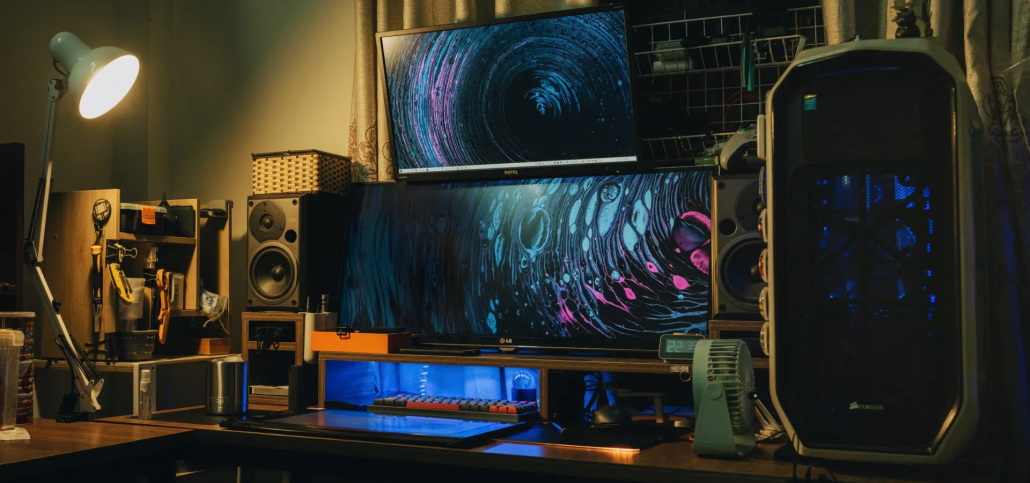
- Keep desktops, laptops, networking gear, and NAS devices running
- Prevent data loss and missed work during outages
Entertainment Systems
- Protect TVs, gaming consoles, and AV receivers
- Ensure uninterrupted media enjoyment
Smart Home & Security
- UPS can maintain smart locks, cameras, and alarm systems
- Keeps safety and security systems functional during power loss
Cost Considerations and Total Ownership
- Initial Cost: Home UPS units range from $100–$800 depending on capacity and features
- Battery Replacement: Lead-acid requires replacement every 3–5 years; lithium lasts 8–10 years
- Maintenance: Lithium is largely maintenance-free; lead-acid requires periodic checks
- Total Cost of Ownership (TCO): Consider lifespan, energy efficiency, and maintenance costs for long-term budgeting
Example:
- A 600W home office load with a 1000VA UPS
- Lead-acid TCO over 10 years: ~$600–$800 (including battery replacements)
- Lithium TCO over 10 years: ~$500–$700 with less maintenance and higher efficiency
Installation and Maintenance Tips
- Place the UPS in a cool, ventilated location
- Avoid overloading; keep total connected load below rated capacity
- Test the battery periodically and replace if capacity drops
- Update firmware/software if UPS supports remote monitoring
Recommended UPS Products for Home
Choosing the right UPS depends on your household needs:
- Small Office / Home Office: 600–1000VA, pure sine wave, optional network interface
- Entertainment / Smart Home: 1000–2000VA, pure sine wave, multiple outlets, surge protection
- Mixed Use / Critical Loads: 1500–3000VA, pure sine wave, extended runtime, intelligent monitoring
💡 Explore our reliable UPS solutions for home backup power: Learn more about UPS products
Conclusion
A home UPS is an essential solution for protecting electronics, preventing data loss, and ensuring uninterrupted operation of key household devices. Beyond short-term outages, UPS systems provide long-term benefits, including improved power quality, efficiency, and reliability.
Investing in the right UPS helps families maintain safety, comfort, and productivity while reducing the risk of damage to sensitive devices.
Recommended Reading
Best UPS Battery Backup for Home: Protect Your Electronics and Ensure Continuous Power During Outages
Introduction – Why UPS Matters for Home Users
Power outages in North America are no longer occasional inconveniences. From extreme weather events to aging grid infrastructure, households can experience interruptions that disrupt work-from-home setups, spoil food, or affect essential medical devices.
For families, having a reliable home UPS (Uninterruptible Power Supply) system is critical. A UPS ensures that your electronics stay powered during outages, protecting your data, devices, and overall household functionality. Choosing the right UPS helps maintain safety, continuity, and efficiency in your home.
Understanding Home UPS Systems
A UPS provides instant backup power to connected devices when the main electricity supply fails. Unlike large home battery storage systems that can power an entire house, UPS systems focus on protecting critical electronics like computers, routers, smart home devices, and AV equipment.
Types of Home UPS
- Offline / Standby UPS
- Activates only during a power failure
- Affordable option for short-term backup
- Line-Interactive UPS
- Provides voltage regulation and surge protection
- Ideal for areas with frequent voltage fluctuations
- Online Double-Conversion UPS
- Offers the highest power quality with zero transfer time
- Recommended for sensitive electronics and high-end home offices
Output Waveform
- Modified Sine Wave: Suitable for most basic electronics
- Pure Sine Wave: Recommended for computers, AV equipment, and modern smart devices
Key Factors to Consider When Choosing a Home UPS
- Capacity & Runtime
- UPS capacity is measured in VA (Volt-Ampere) or Watts.
- Estimate the total load of all connected devices to select a UPS with sufficient headroom.
- Runtime depends on battery size and load—home UPS typically provides 5–30 minutes for short outages.
- Battery Type
- Sealed Lead-Acid (SLA): Affordable and reliable, lifespan 3–5 years
- Lithium-Ion: Longer lifespan (8–10 years), lighter, faster recharge, maintenance-free
- Efficiency & Power Quality
- Higher efficiency reduces energy loss and heat.
- Pure sine wave output ensures sensitive electronics are protected from voltage distortions.
- Features & Connectivity
- Smart UPS units offer monitoring via LCD or apps
- Networked UPS can send alerts about outages or battery status
- Some models allow automatic shutdown of connected computers
- Brand Reliability & Warranty
- Established brands provide longer warranties and better after-sales support
- Confirm battery replacement or service options before purchasing
Special Considerations for Different Home Setups
Home Office
- Keep desktops, laptops, networking gear, and NAS devices running
- Prevent data loss and missed work during outages
Entertainment Systems
- Protect TVs, gaming consoles, and AV receivers
- Ensure uninterrupted media enjoyment
Smart Home & Security
- UPS can maintain smart locks, cameras, and alarm systems
- Keeps safety and security systems functional during power loss
Cost Considerations and Total Ownership
- Initial Cost: Home UPS units range from $100–$800 depending on capacity and features
- Battery Replacement: Lead-acid requires replacement every 3–5 years; lithium lasts 8–10 years
- Maintenance: Lithium is largely maintenance-free; lead-acid requires periodic checks
- Total Cost of Ownership (TCO): Consider lifespan, energy efficiency, and maintenance costs for long-term budgeting
Example:
- A 600W home office load with a 1000VA UPS
- Lead-acid TCO over 10 years: ~$600–$800 (including battery replacements)
- Lithium TCO over 10 years: ~$500–$700 with less maintenance and higher efficiency
Installation and Maintenance Tips
- Place the UPS in a cool, ventilated location
- Avoid overloading; keep total connected load below rated capacity
- Test the battery periodically and replace if capacity drops
- Update firmware/software if UPS supports remote monitoring
Recommended UPS Products for Home
Choosing the right UPS depends on your household needs:
- Small Office / Home Office: 600–1000VA, pure sine wave, optional network interface
- Entertainment / Smart Home: 1000–2000VA, pure sine wave, multiple outlets, surge protection
- Mixed Use / Critical Loads: 1500–3000VA, pure sine wave, extended runtime, intelligent monitoring
💡 Explore our reliable UPS solutions for home backup power: Learn more about UPS products
Conclusion
A home UPS is an essential solution for protecting electronics, preventing data loss, and ensuring uninterrupted operation of key household devices. Beyond short-term outages, UPS systems provide long-term benefits, including improved power quality, efficiency, and reliability.
Investing in the right UPS helps families maintain safety, comfort, and productivity while reducing the risk of damage to sensitive devices.
Recommended Reading